

 Source:Miracle Games
 Release Time:2019-12-13 15:46:32
 Views:56184
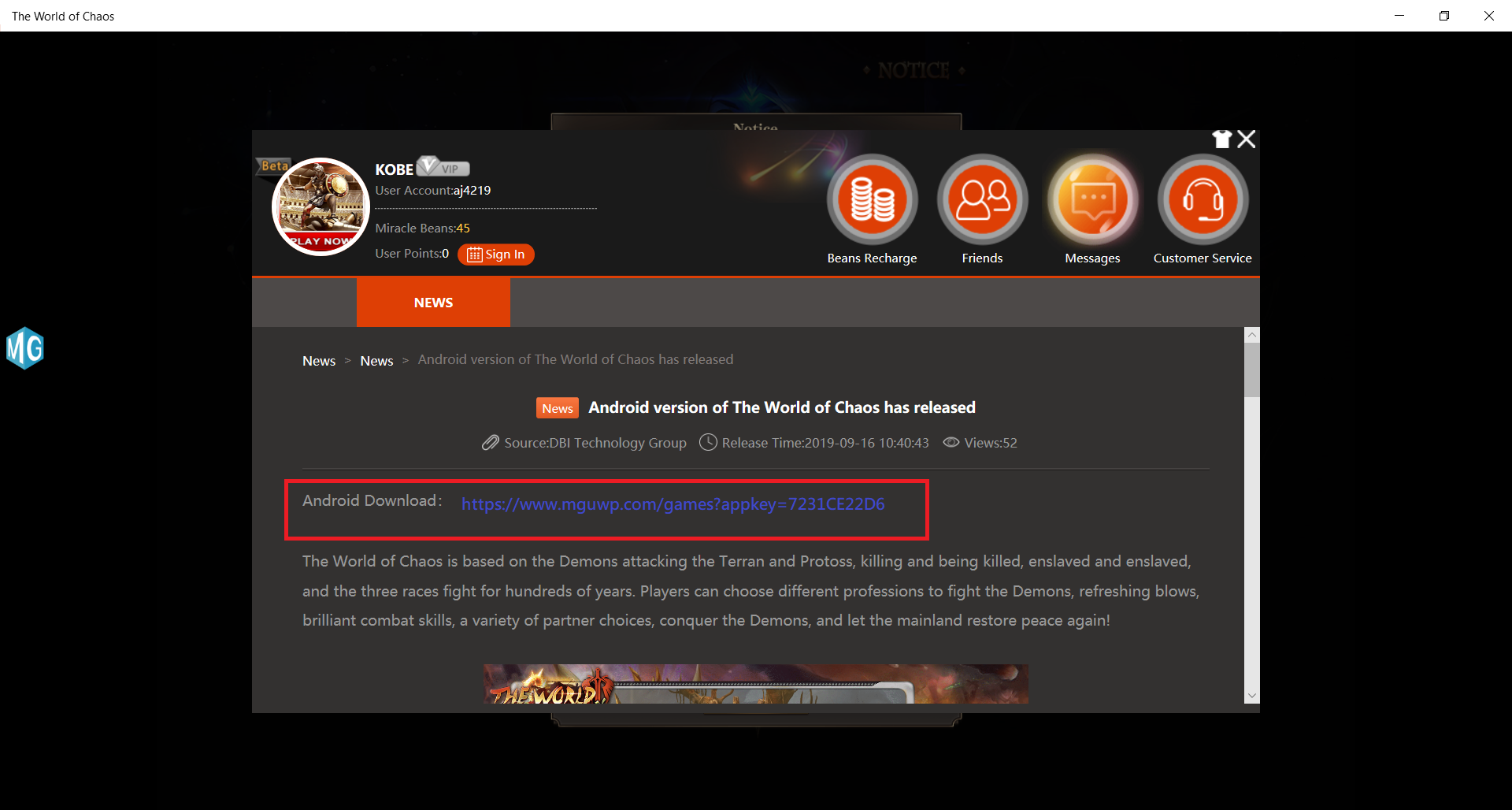
1. Go to the game download page
• Click on the Android version download provided in the announcement to go to the platform game download and content introduction page
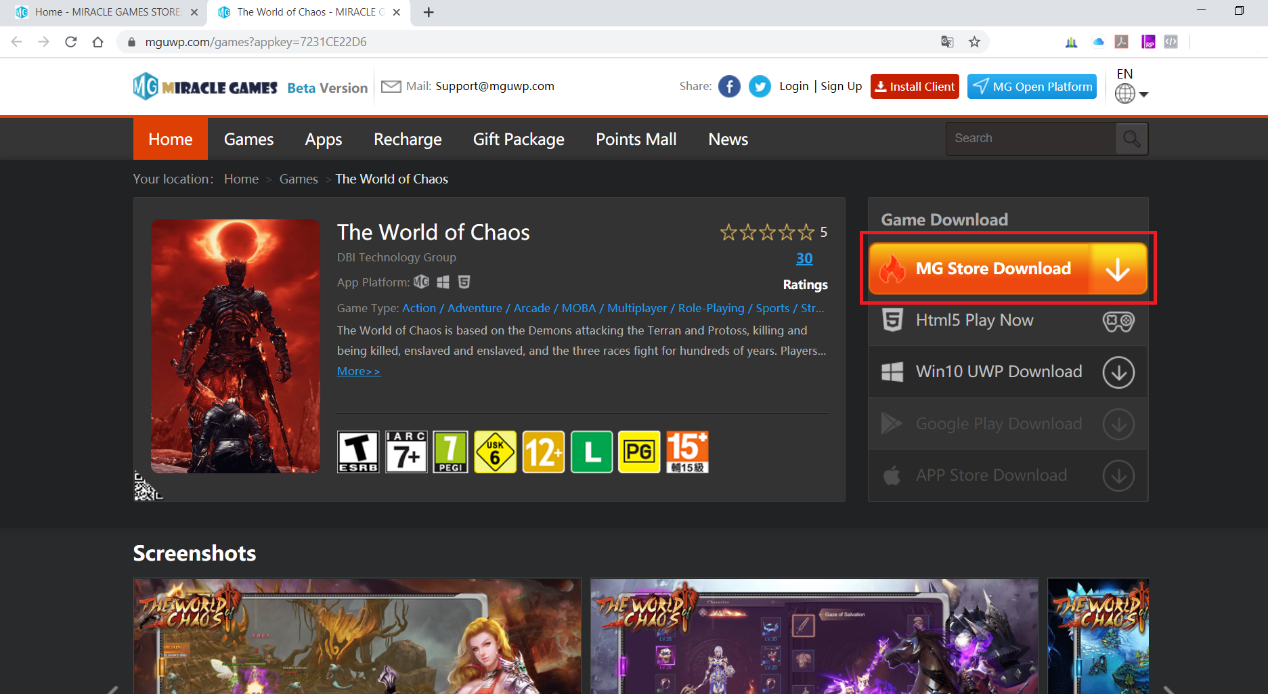
2. MG platform game introduction page
• MG platform game introduction page
• Select the first option under the top right under Game Download
• Click MG MG Store Download to download
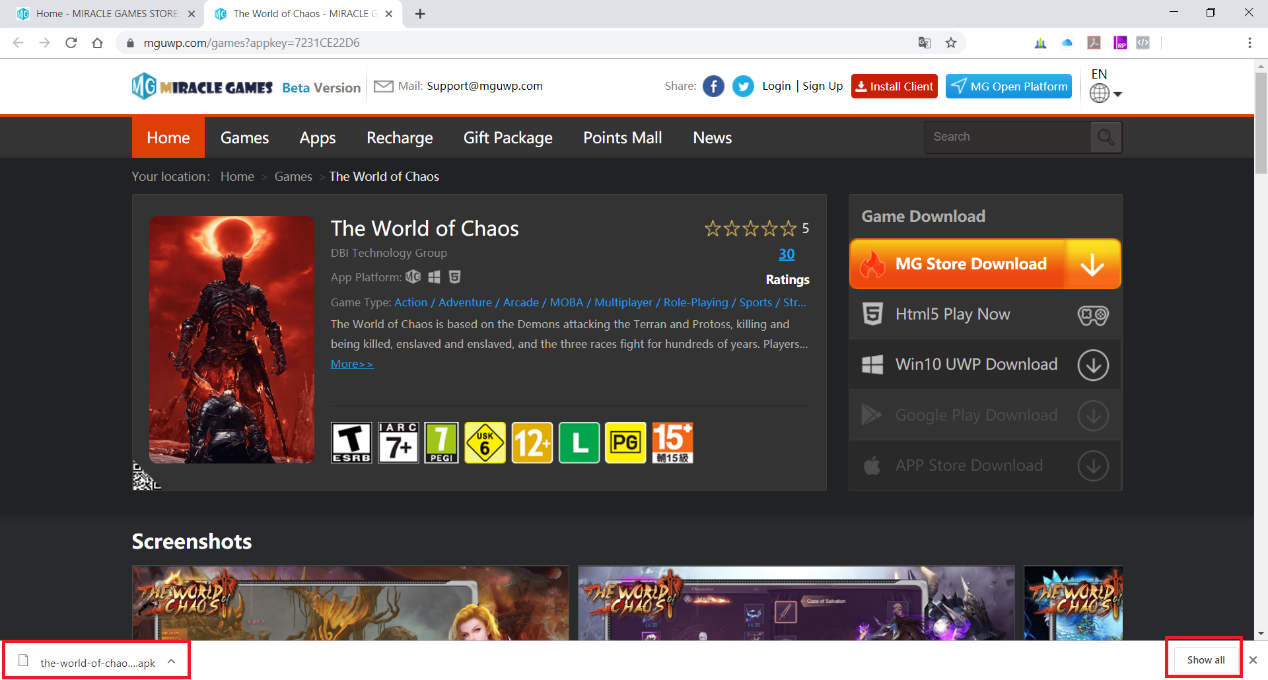
3. Finish download and open
• When the download has completed, the screen will appear as shown on the right, with the game installation package in the lower left corner and the Show all button in the lower right corner.
• Select Show all to enter the default browser download location
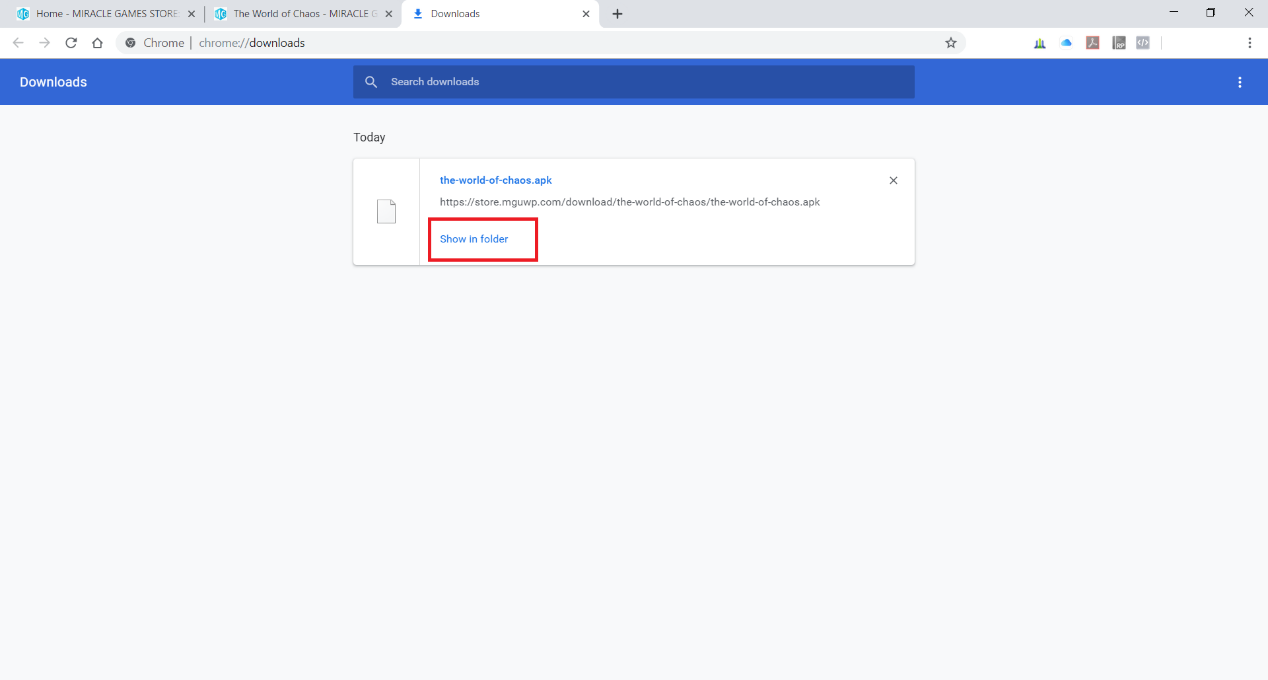
4. Open document in the save location
• Select ‘Show in folder’ to open the downloaded game installation APK package location
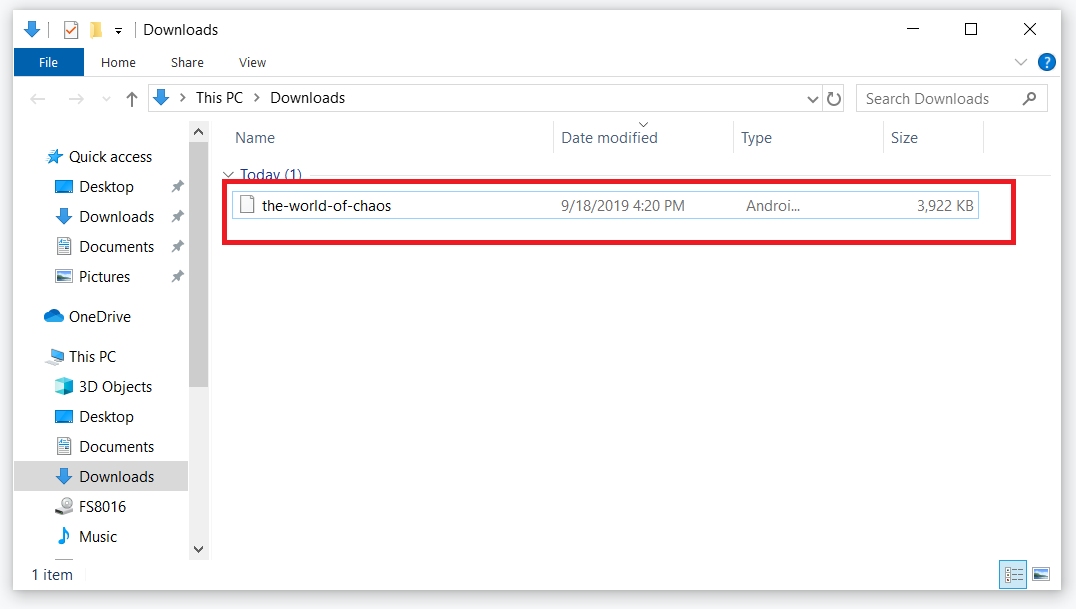
5. Confirm document saved
• After installing the saved APK package, confirm that the relevant locations and files do exist
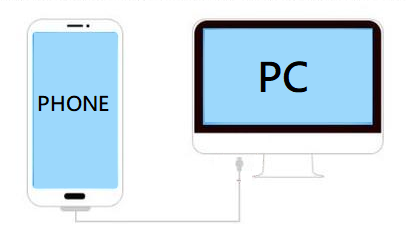
6. Connect your phone to your computer
• Use a USB cable
• One end is connected to the USB port of
the computer and the other end is connected to the USB port of the mobile phone
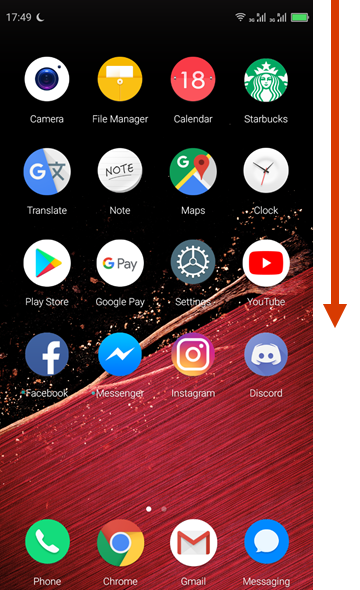
7. Open USB connection settings
• Open phone screen
• Swipe from top to bottom
• Call USB connection setting menu
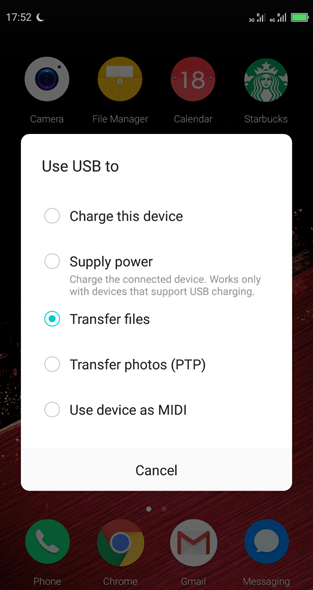
8. Turn on file transfer mode
• Select phone USB connection function
• Turn on file transfer mode
9. Enter My Computer File Management
• Double-click the My Computer icon on the computer desktop to enter the computer file management
• If the desktop does not have My Computer, you can right-click the file icon in the right image below the toolbar and click the Desktop option
• Select This PC to enter My Computer File Management
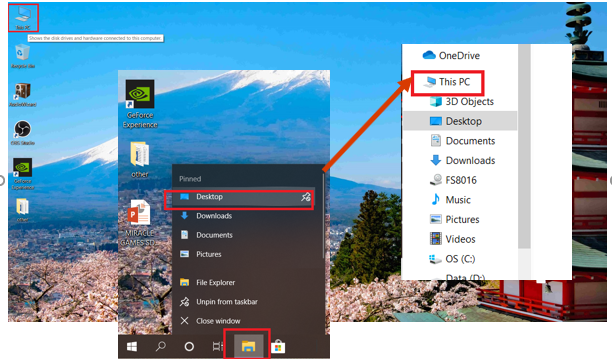
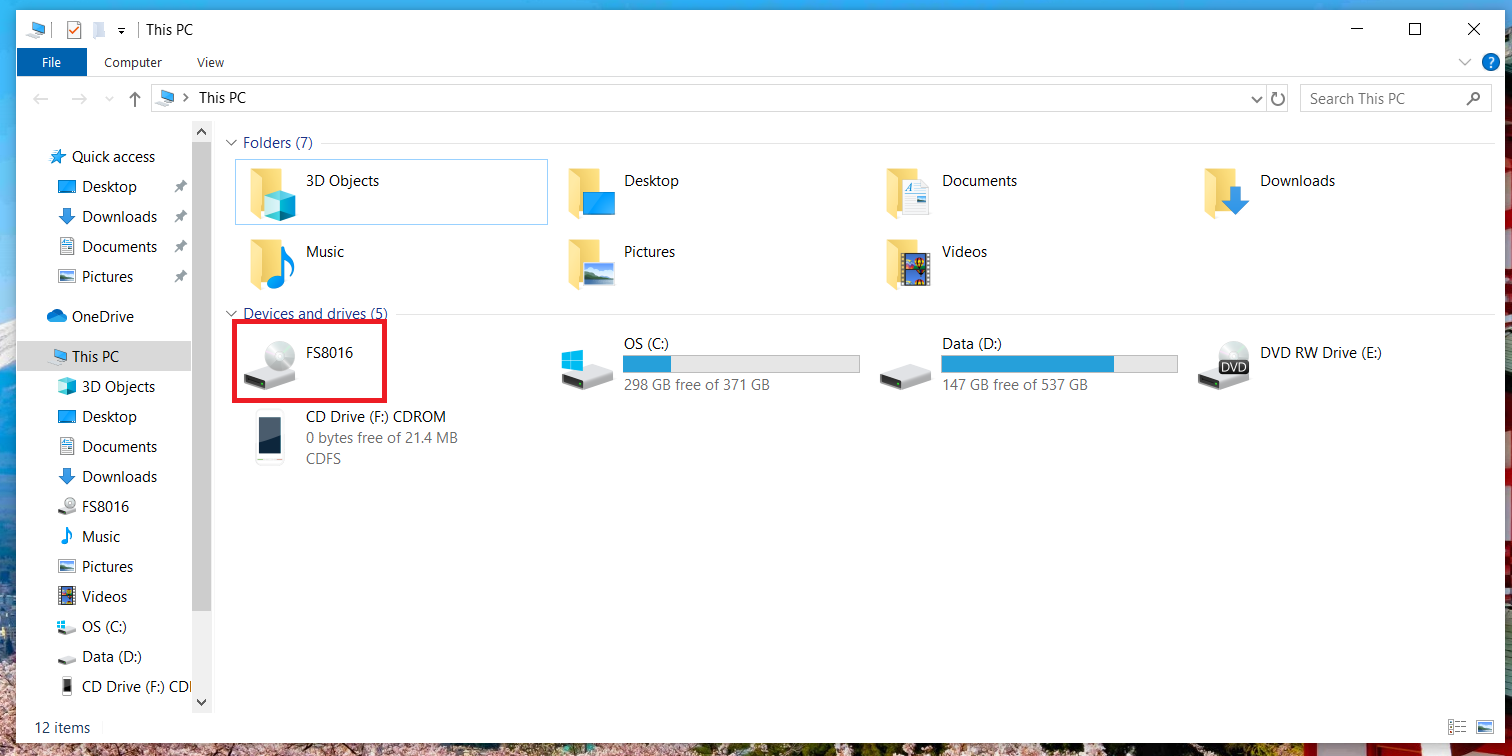
10. Select phone file location
• After entering my computer
• Select the name after the mobile phone is connected. Take the figure on the right as an example. FS8016 (different according to different brand models) Double-click the icon
11. Enter the phone memory space
• Select the phone name in the file center and double-click to enter
• See the name of the phone memory space similar to the picture on the right, and then double-click to enter

12. Select the default storage location in the phone
• After entering the phone's memory space
• Find the Download folder and select it as the location where we want to copy and save the APK of game installation downloaded on the computer
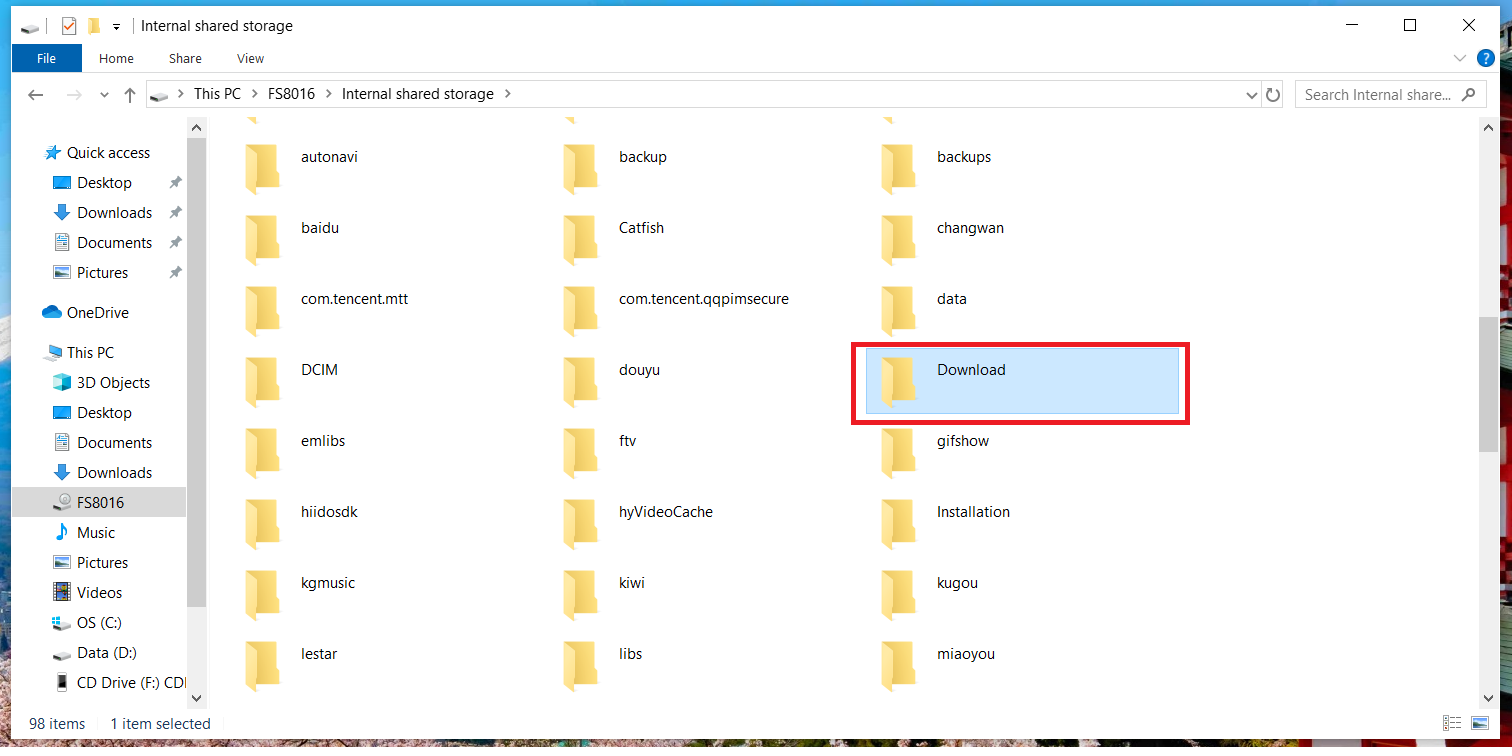
13. Copy the installation package to the specified folder in the phone
• Select the downloaded game installation APK package in the computer's default Download folder
• Use drag and drop to install the APK package of this game to the specified folder location in the phone. We preset it to Download
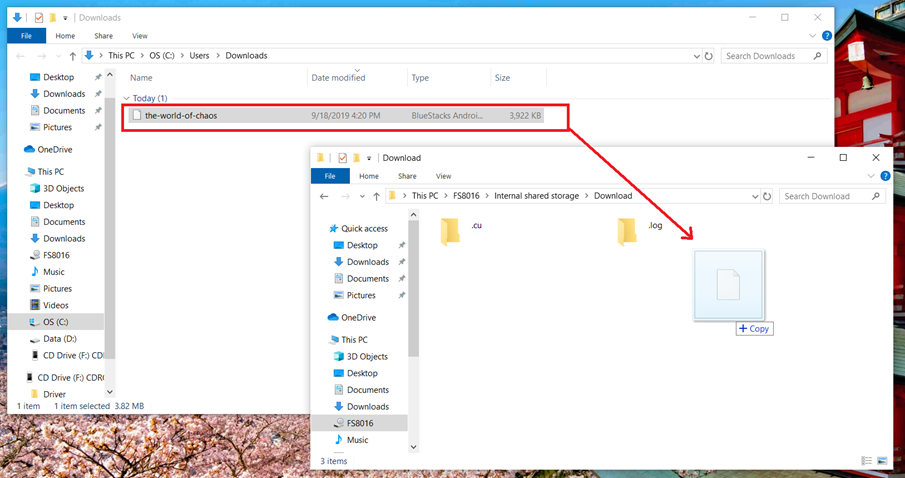
14. Confirm that the installation package is placed in the designated folder in the phone
• After dragging and copying APK
• Make sure that the game installation APK package has been saved in the specified phone memory folder (Download)
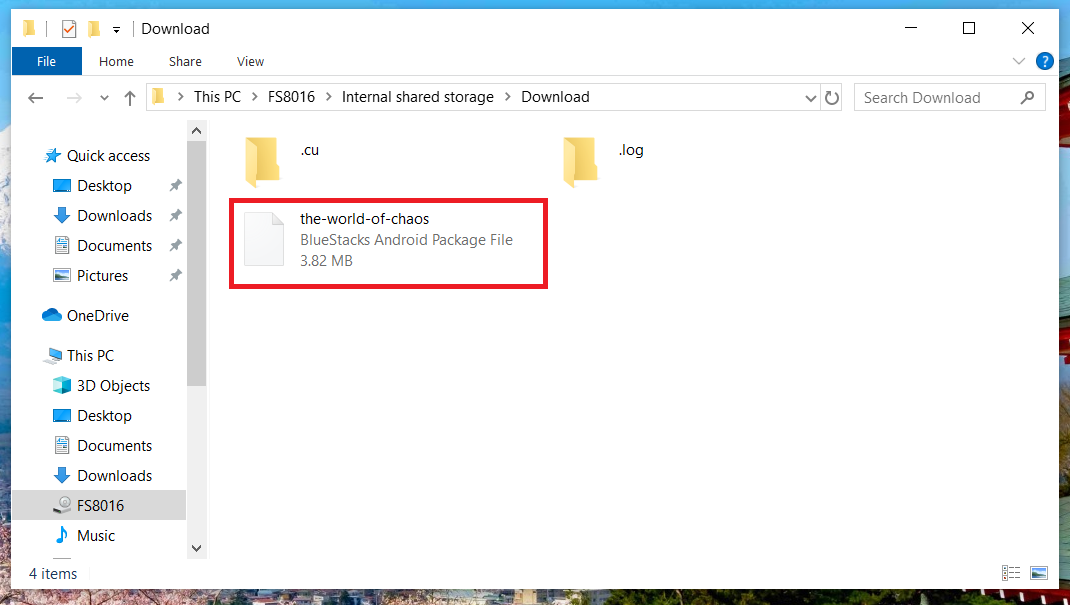
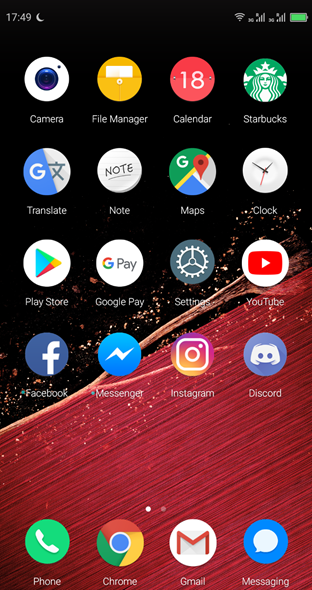
15. Find the location of the game installation package (1)
• Turn on your phone
Click on your mobile file management center File Manager (different phone brands may use different names
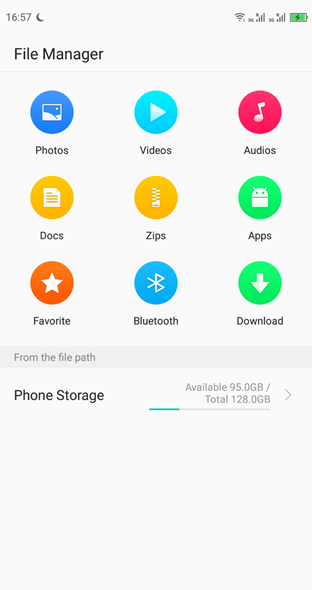
16. Find the location of the game installation package (2)
• Click the Download option
• Find a game installer previously placed there
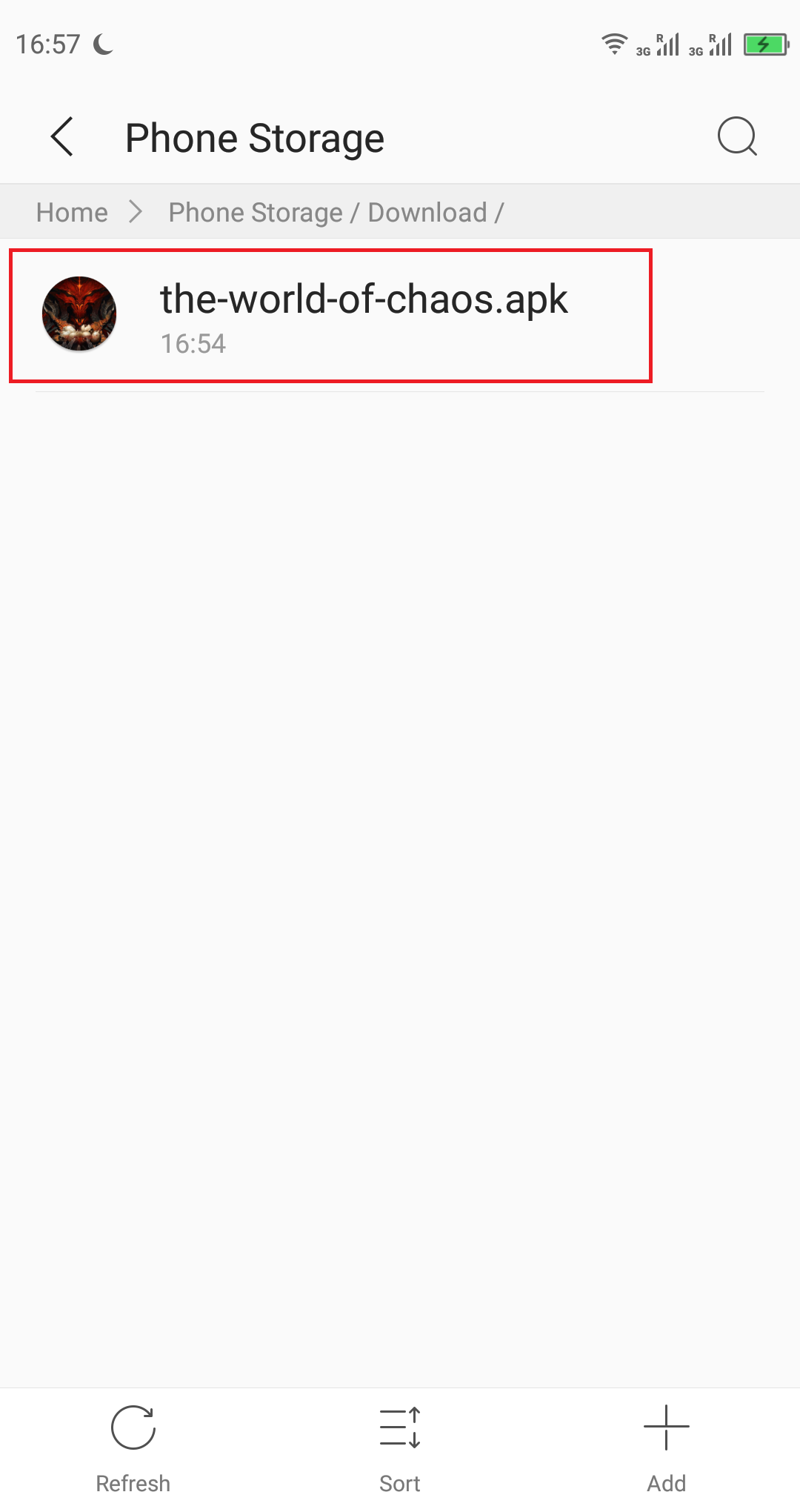
17. Ready to install
• Select game to install APK package
• Double-click the installation package and choose to start the game installation
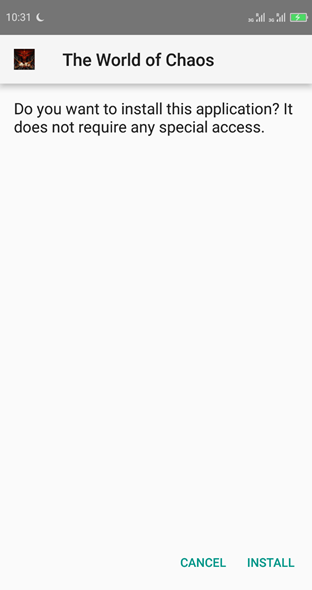
18. Install the game
• Click INSTALL to start game installation
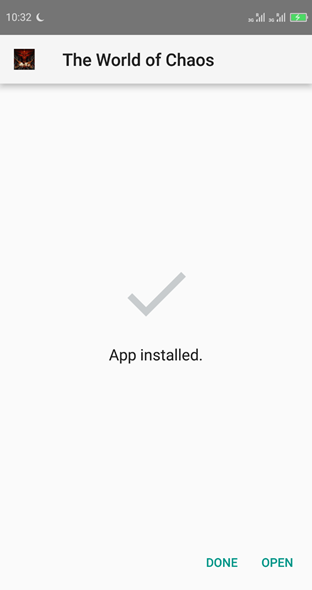
19. Complete the installation
• After game installation is complete
• Select DONE to return to the mobile desktop
• Select OPEN to directly open the game and enter the experience
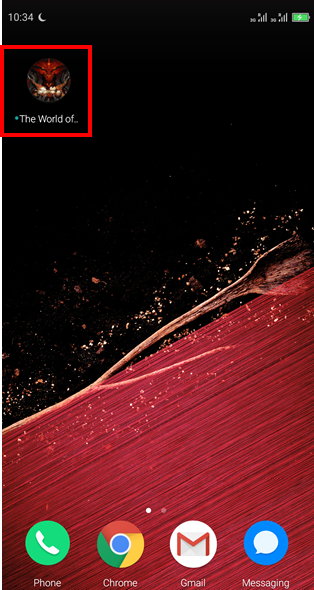
20. Enter the game
• Back to mobile desktop
• Click on the game ICON, double click to enter the game


 Developer Cooperation
 Install Client



 Sign out
 Mail:
Support@mguwp.com
Mail:
Support@mguwp.com  Discord:
Miracle Games#6921
Discord:
Miracle Games#6921  Customer
Service Tel: 86-010-85895781(GMT 2:00 AM-11:00 AM on Monday to Friday)
Customer
Service Tel: 86-010-85895781(GMT 2:00 AM-11:00 AM on Monday to Friday)


